Message Preview v0.1.0~
When you send a message link, babyrite expands that message's content as embedded content.
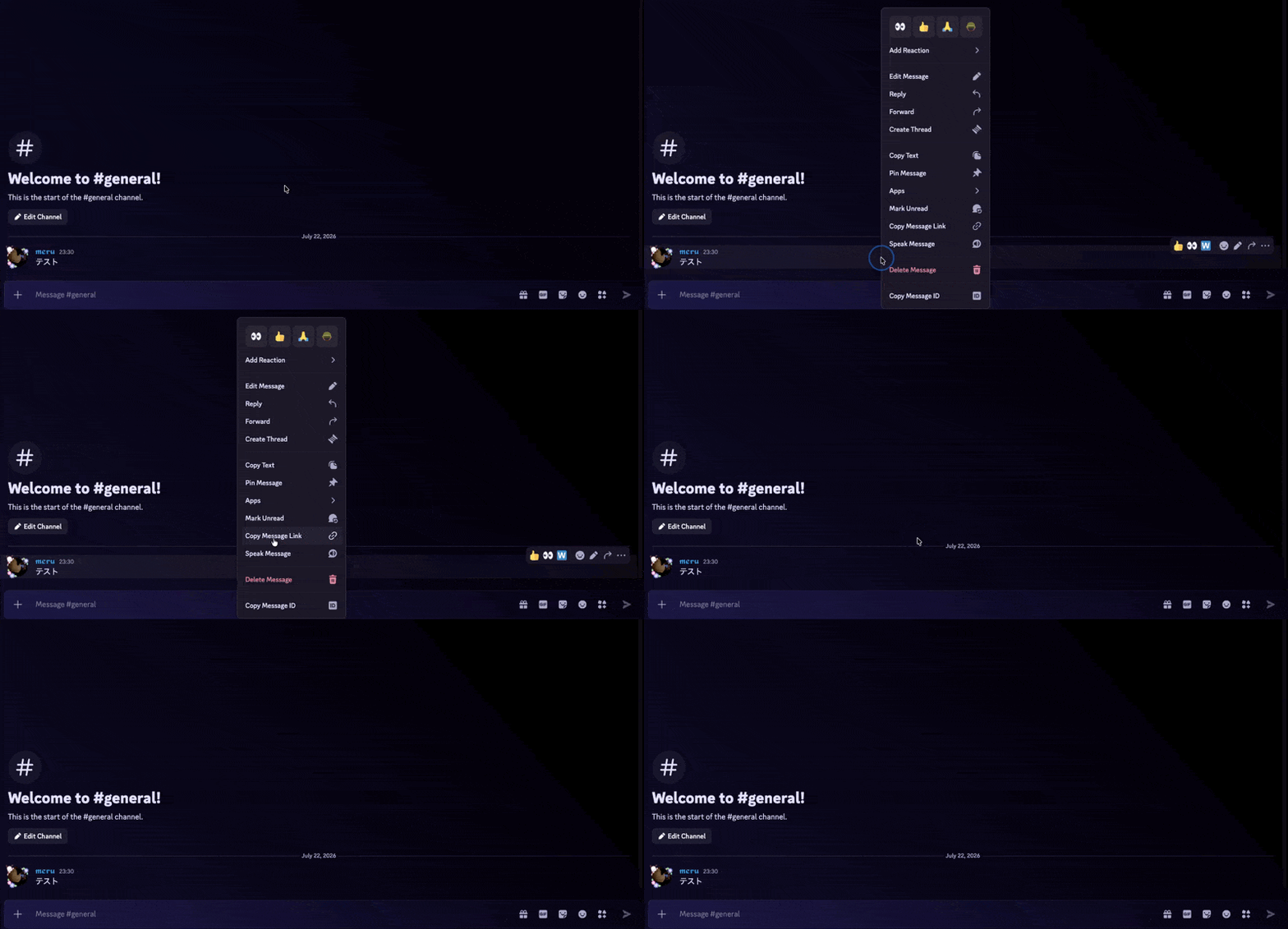
https://discord.com/channels/1390203929182339092/1496887099536838706/1497066171390886000Follow these steps in your client to copy a message link.
- Right-click the message
- Click Copy Message Link from the context menu
- Expands up to 3 links per message.
- Content in NSFW channels is not expanded. The same applies to threads under an NSFW channel.
Canceling a preview
If you don't want a link expanded, wrap the message link in <> and it will be ignored.
<https://discord.com/channels/1390203929182339092/1496887099536838706/1497066171390886000>Behavior with channel permissions
babyrite behaves as follows with respect to channel permissions.
- Message links pointing to another server (guild) are not expanded.
- Permissions are defined per server, so babyrite cannot judge whether a channel in another server is viewable.
- Messages in private threads and DMs are not expanded.
- The linked channel is only expanded if every member who can view the source channel can also view it.
- It is not expanded if the linked channel's visibility is narrower than the source channel's.
- Public threads are judged based on their parent channel's permissions.
- Channels that individually deny specific members access are not expanded, as a safety measure.
- If the source channel individually grants specific members access, only channels everyone can view may be quoted there.
- Visibility is judged per role, so whether an individually added member can view a restricted channel cannot be determined.
- If the target is the same channel as the source, the permission checks above are skipped and the link is expanded as-is.
Supported message links
The message links babyrite currently supports are:
discord.comcanary.discord.comptb.discord.com
Any other message link is ignored for safety reasons.
About the domain used by some Windows clients
The discordapp.com domain, used by some Windows clients, is a legacy format. Support for this domain was dropped in a past version.
See the following issue for details.
Caching
When babyrite expands a message link, it caches the guild's channel list and the source channel of the message.
From the second preview of a message in the same channel onward, the channel is retrieved from the cache instead of querying the Discord API.
See Caching for details.